iPhone Integrations & Sharing Guide
Where your rounds, scores and tee times come from — and how you share your calendar with other apps and other golfers.
1. Providers and what each syncs
MyGolf pulls from the systems you already use:
| Provider | What it brings |
|---|---|
| WiseGolf (Finnish clubs) | Your tee times and the flight; check-in; the booking catalogue the auto-booker uses |
| GolfBox (Norway) | Tee times and, as your federation, your WHS handicap |
| ReadyGolf | Tee times at ReadyGolf clubs |
| eBirdie (Finland) | Your WHS handicap index, its history and the qualifying rounds; official scorecards |
| Golf GameBook | Scorecards you keep in GameBook, with the flight's cards and the format; if you have no eBirdie, GolfBox or WiseGolf handicap, the index GameBook recorded on your last round shows as your HCP (as of that round, not a current federation value) |
| Golf Pad, Arccos, TrackMan | Shot-level data (GPS shots, simulator rounds) that feeds strokes gained and club distances |
| Garmin | Rounds from a Garmin watch, with its shots reconciled against your scorecard |
Booking systems (WiseGolf, GolfBox, ReadyGolf) are connected club by club in the app: More › Clubs › All clubs, pick the club, Join club with your username and password for that club's system. The credentials are stored encrypted on MyGolf's server and used to sync that club's bookings; Update credentials and Remove live on the membership afterwards. See the Clubs & courses guide.
Data providers (eBirdie, Golf GameBook, Golf Pad, Arccos, TrackMan, Garmin) are connected on the web at kalenteri.nasula.fi › Integrations, with each provider's own sign-in (Garmin asks for its one-time code; TrackMan takes a token). The iPhone app has no Integrations page at the moment — the screen exists in the app but is not reachable from More. Once connected, rounds sync in the background and every round shows its source badge under Rounds.
Guest clubs (WiseGolf). Your home club's login also sees the bookings you have made as a guest at other WiseGolf clubs — but only after a one-time consent discovery: MyGolf asks each club, through your home-club session, whether it may read your bookings there. Until a club has consented, its tee times do not appear. If a guest booking is missing from your Schedule, that is the first thing to check.
2. Calendar sharing
More › Calendar sharing:
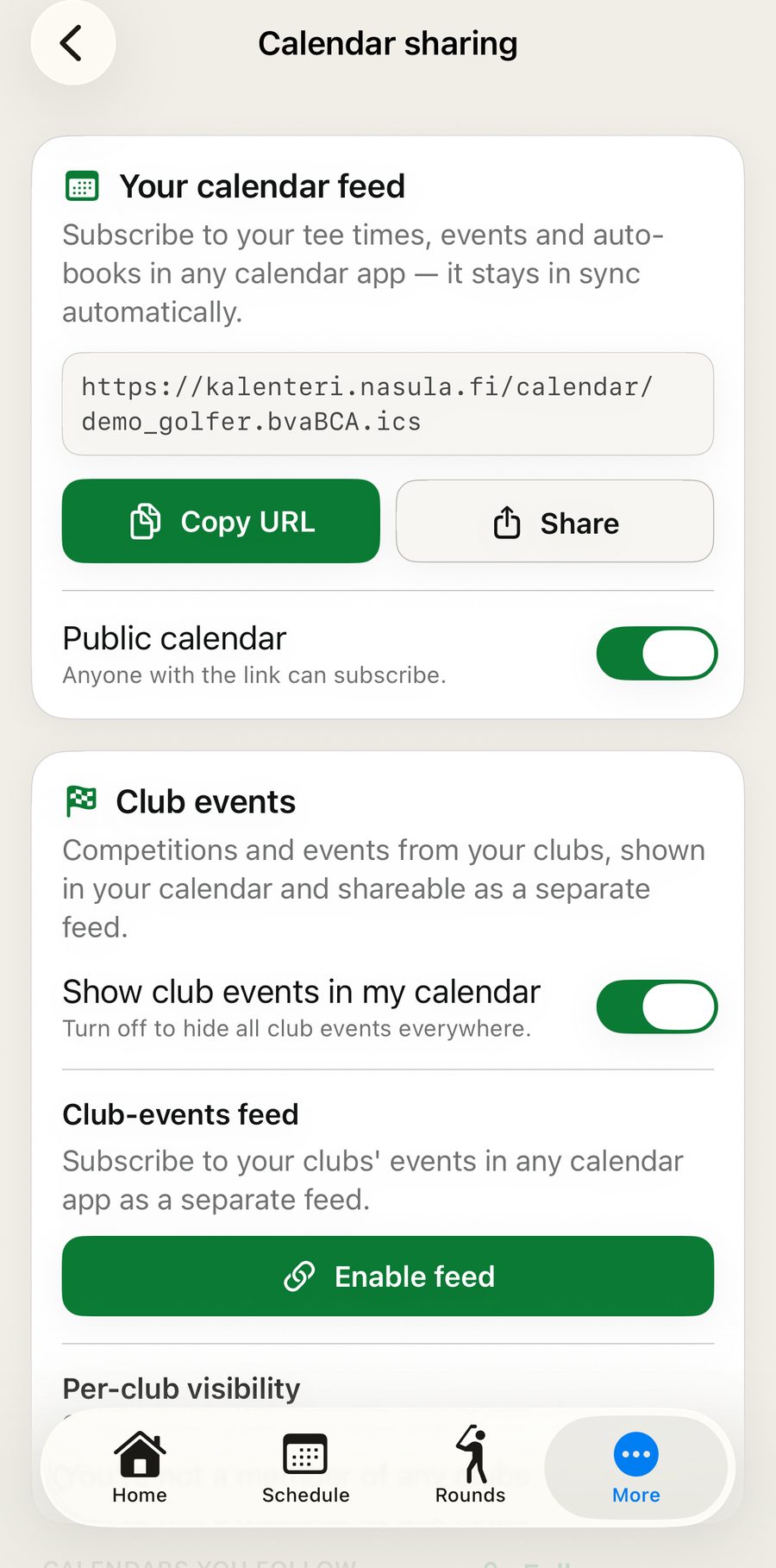
- Your calendar feed — a link that any calendar app (Apple Calendar, Google Calendar, Outlook) can subscribe to: your tee times, events and auto-books, kept in sync automatically. Copy URL or Share it into the calendar app. Public calendar decides whether anyone with the link can subscribe, or only you.
- Club events — competitions and events from your clubs. Show club events in my calendar turns them on or off everywhere; Per-club visibility picks which clubs contribute. The Club-events feed is a second link for them, separate from your own tee times — Enable feed creates it, Regenerate invalidates the old link (any app subscribed to it stops updating until you re-subscribe), Disable removes it.
- Calendars you follow — golfers whose calendars you subscribe to (section 3), with Unsubscribe on swipe.
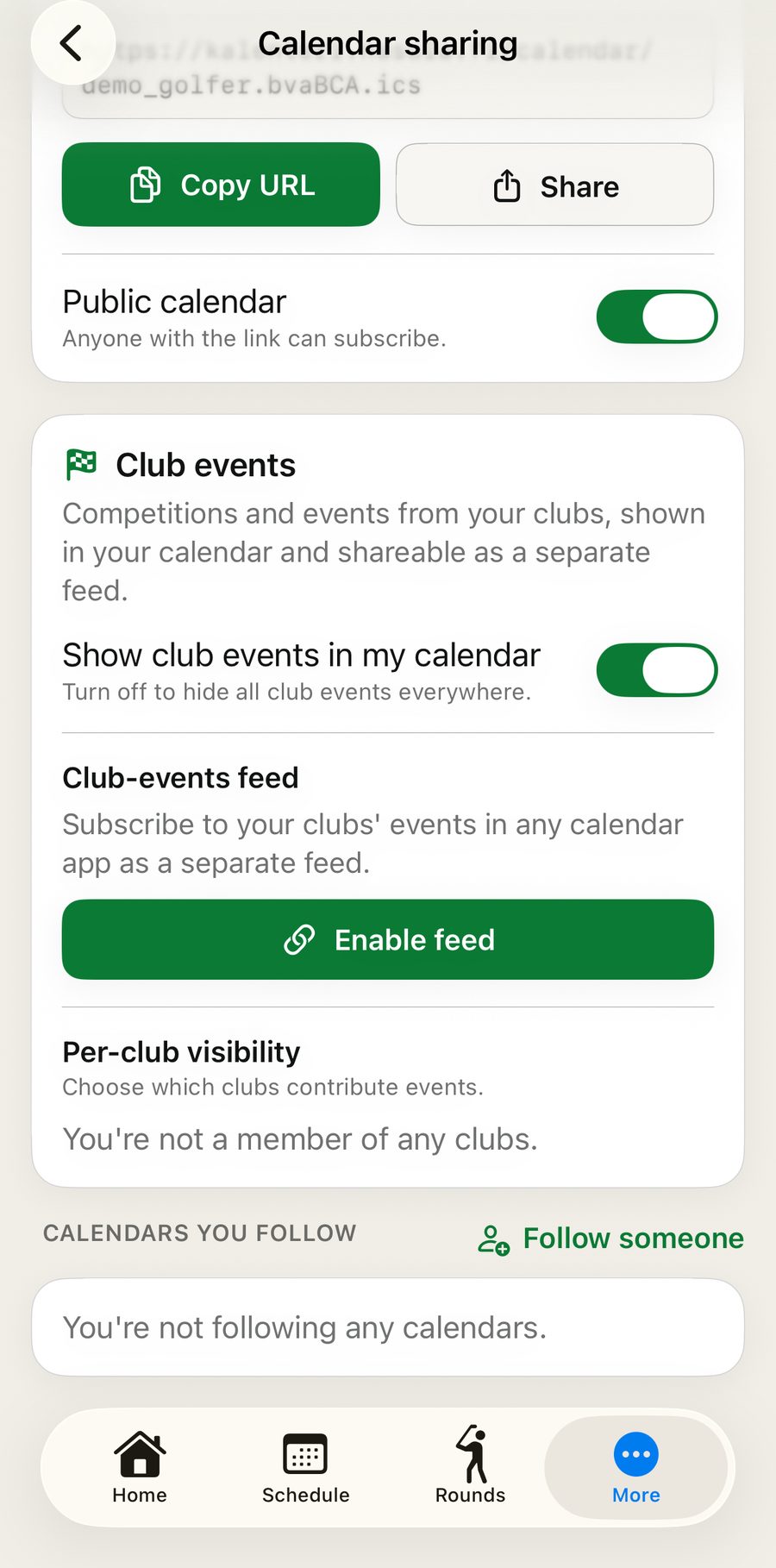
Privacy. A feed link is the access: whoever has it can read what it contains, with no sign-in. Share it only with the calendar app you use. If a link leaks, Regenerate it — the old one stops working at once.
3. Following someone's calendar
Follow someone (at the bottom of Calendar sharing, on Home and on the Schedule) searches golfers who have made their calendar public and lets you subscribe with Full details (course, players, weather) or Times only. Their tee times then show under Friends playing soon on your Schedule. The Friends & spectating guide covers what follows from there — live rounds, highlights and what a friend may see of you.