iPhone Performance Guide
Performance is where your rounds add up: your WHS handicap index and where it is heading, your season's scoring stats, and strokes gained against a benchmark golfer. Open it from Home › Handicap & stats. Three sections sit under the title: Handicap, Stats and SG.
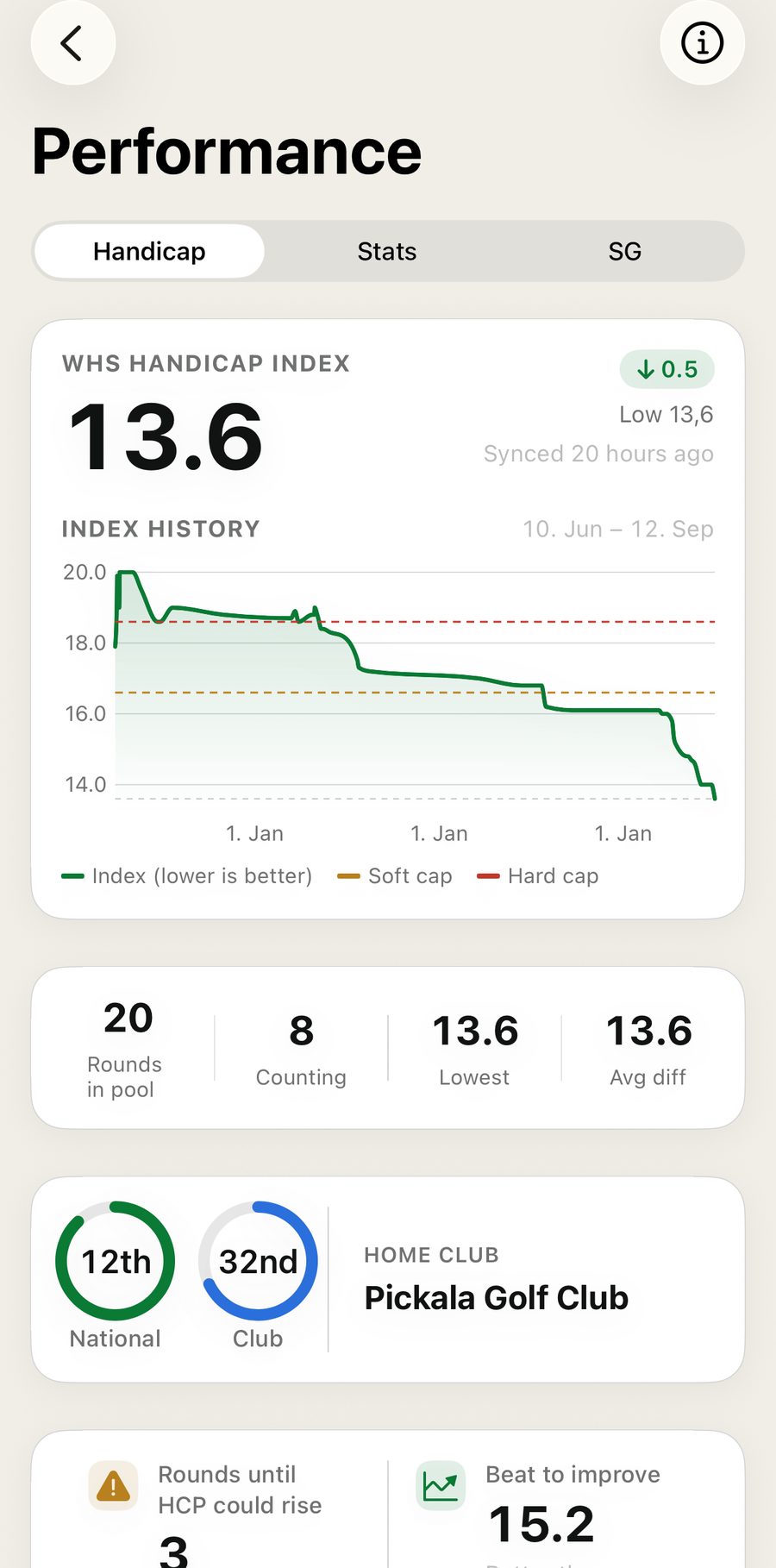 The Handicap section: your index, its history, your national and club standing, and the caps.
1. Handicap
- WHS Handicap Index — your current index, its change over the last 30 days, your 12-month Low, and when it was last synced from your federation (eBirdie in Finland, GolfBox in Norway). Without a connected federation account the section only offers to connect one — see the Integrations guide.
- Index history — the index over time, with the soft cap and hard cap lines drawn where they sit for you.
- National / Club — your percentile among golfers nationally and at your home club.
- Handicap strategy — once you have counting rounds: how many rounds until your oldest counting round drops out of the 20-round window, and the differential your next round must beat to lower your index.
- What if… — opens the calculator (section 4). It appears once you have at least one counting round.
- For fun — alternative calculations: your worst 8 of the window ("if golf hated you") and the plain average of all rounds ("no cherry-picking").
- Caps — where you stand between your low, the soft cap (increases above it are halved) and the hard cap (no increase past it).
- The qualifying rounds in your 20-round window, newest first, each with its strokes and differential; the ones counting toward the index are marked.
The ⓘ button in the corner explains how the index is calculated. MyGolf follows the World Handicap System as administered by your federation; it does not compute a different number of its own.
2. Stats
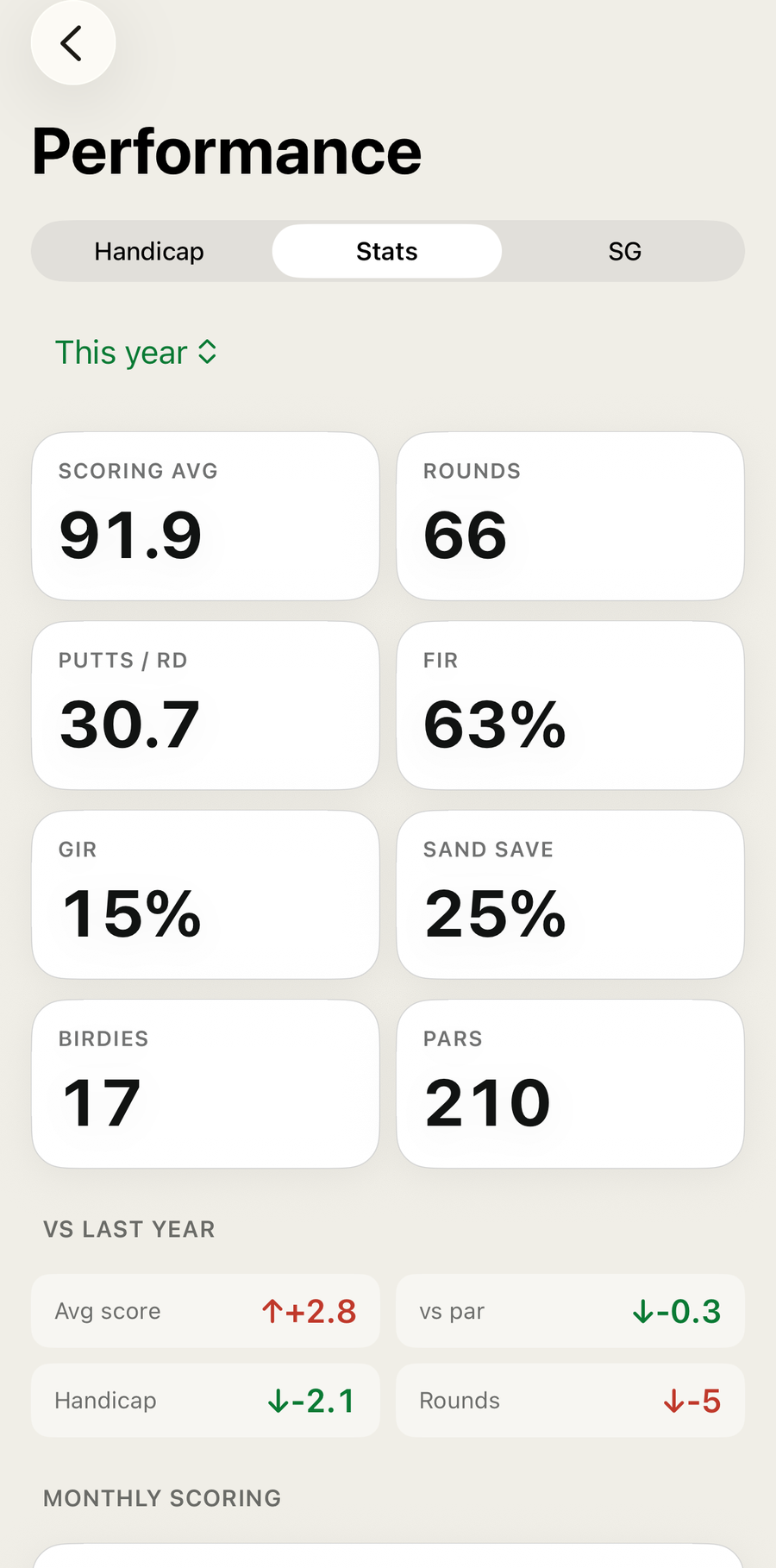
Pick the year at the top (This year by default). Then:
- Rounds · Birdies · Pars — the headline tiles.
- Accuracy — fairways hit, greens in regulation and sand saves where your rounds carry them, and penalties per round.
- vs last year — the same figures against the previous season.
- Monthly scoring — average score by month.
- Health by month — your rounds' workout figures through the season: pick Avg HR, Active (active calories) or Distance (walking distance), and the chart shows that figure's average per round for each month, with the year before as a dashed line so you can see one season against the last. Every round with a workout counts, scored or not. It uses only the figures MyGolf already keeps with your rounds (from your Watch or an Apple Health import — see each round's Workout section), so it asks Apple Health for nothing new. It appears once at least one round in those two years has a workout figure.
- Score distribution — holes by result, eagle to worse.
- Course rounds — rounds, 18-hole rounds, eagles, birdies, pars.
- Escapes — how you get out of the trouble you find (bunkers, trees, water …): visits and the worst it cost you, from shot-tracked rounds.
- By tee — rounds, average score and GIR per tee you have played.
An account with no scored rounds in the year shows zeros, as above.
3. Strokes gained
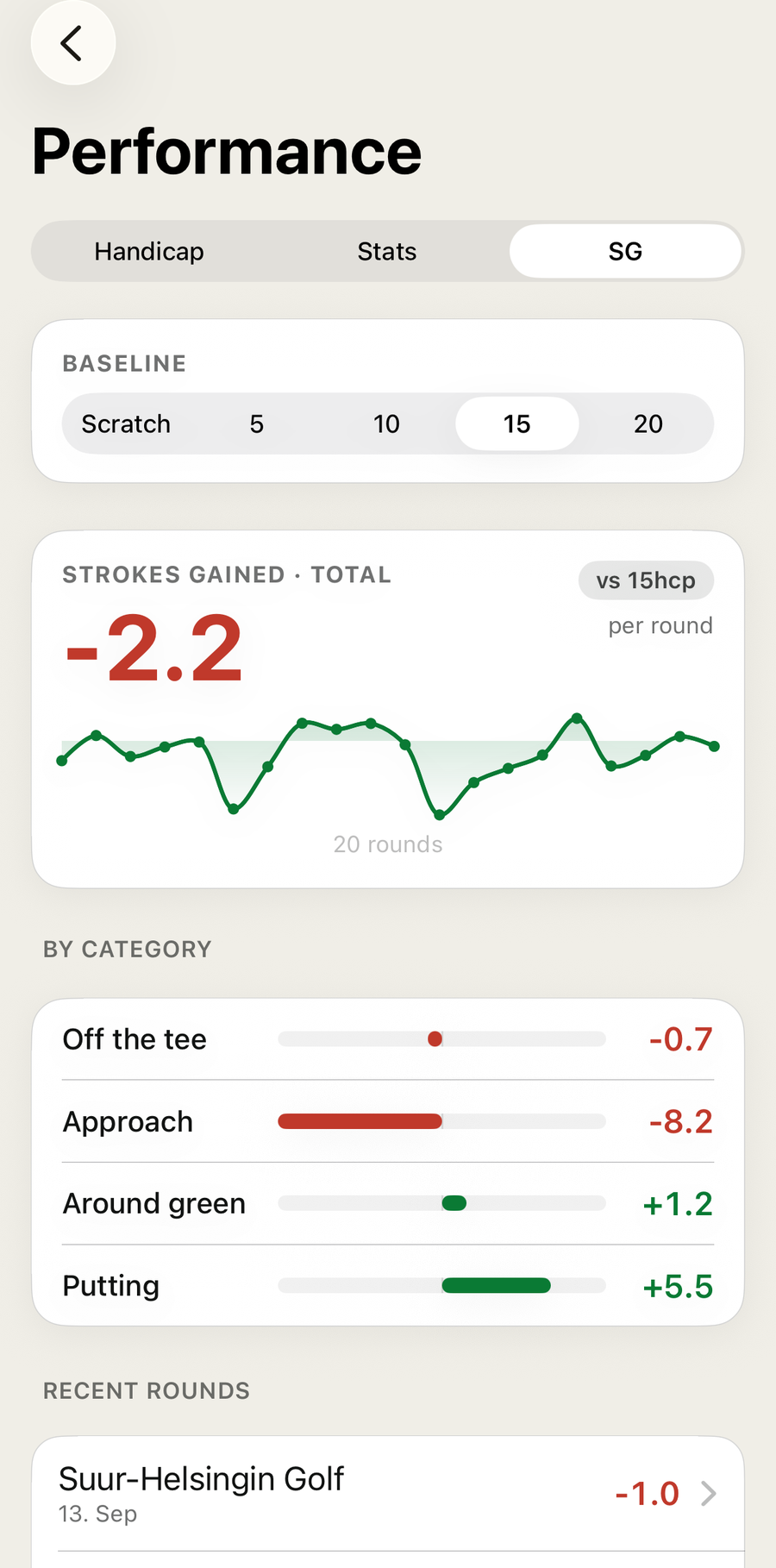
Strokes gained needs shot-level data — rounds tracked in MyGolf, or synced from Golf Pad or another shot-tracking system. With it:
- Baseline — the golfer you are compared with: Scratch, or a 5, 10, 15 or 20 handicap. The choice is remembered and also used on each round's own strokes-gained page.
- Strokes Gained · total per round, over your recent rounds.
- By category — Off the tee, Approach, Around green and Putting, as diverging bars, so the weakest part of your game is visible at a glance.
- Recent rounds — each round's total; tap through to the round. A round with a guessed shot position on it shows "N/M holes" under the date — its total still counts every hole it can, the chart just isn't drawn from the full round.
4. The What-if calculator
Handicap › What if… projects your index from a round you haven't played yet.
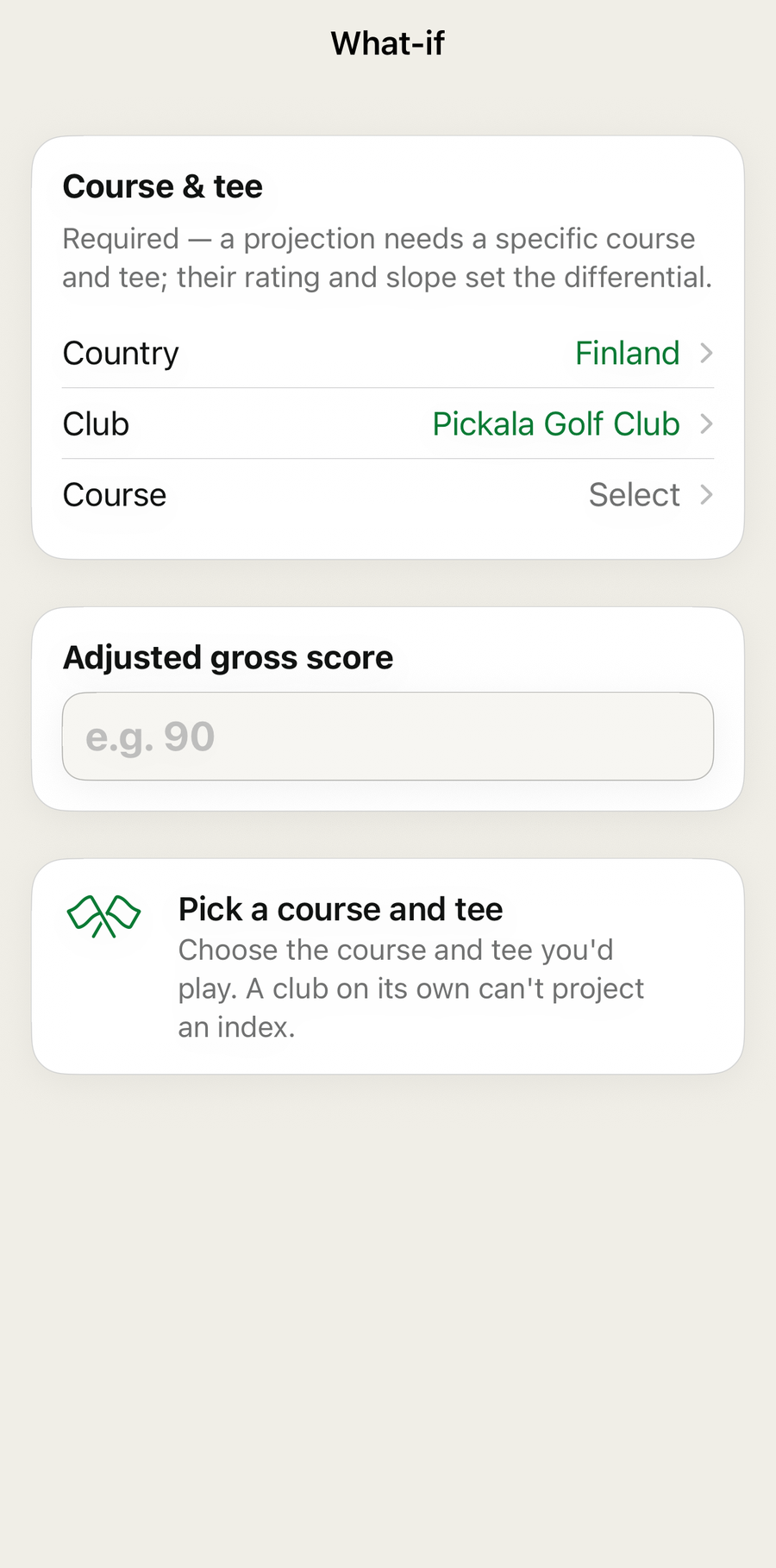
- Course & tee — pick the Country, Club, Course and Tee. A tee is required: its course rating and slope set the differential, so a club or course on its own can't project anything.
- Adjusted gross score — the score you'd sign for.
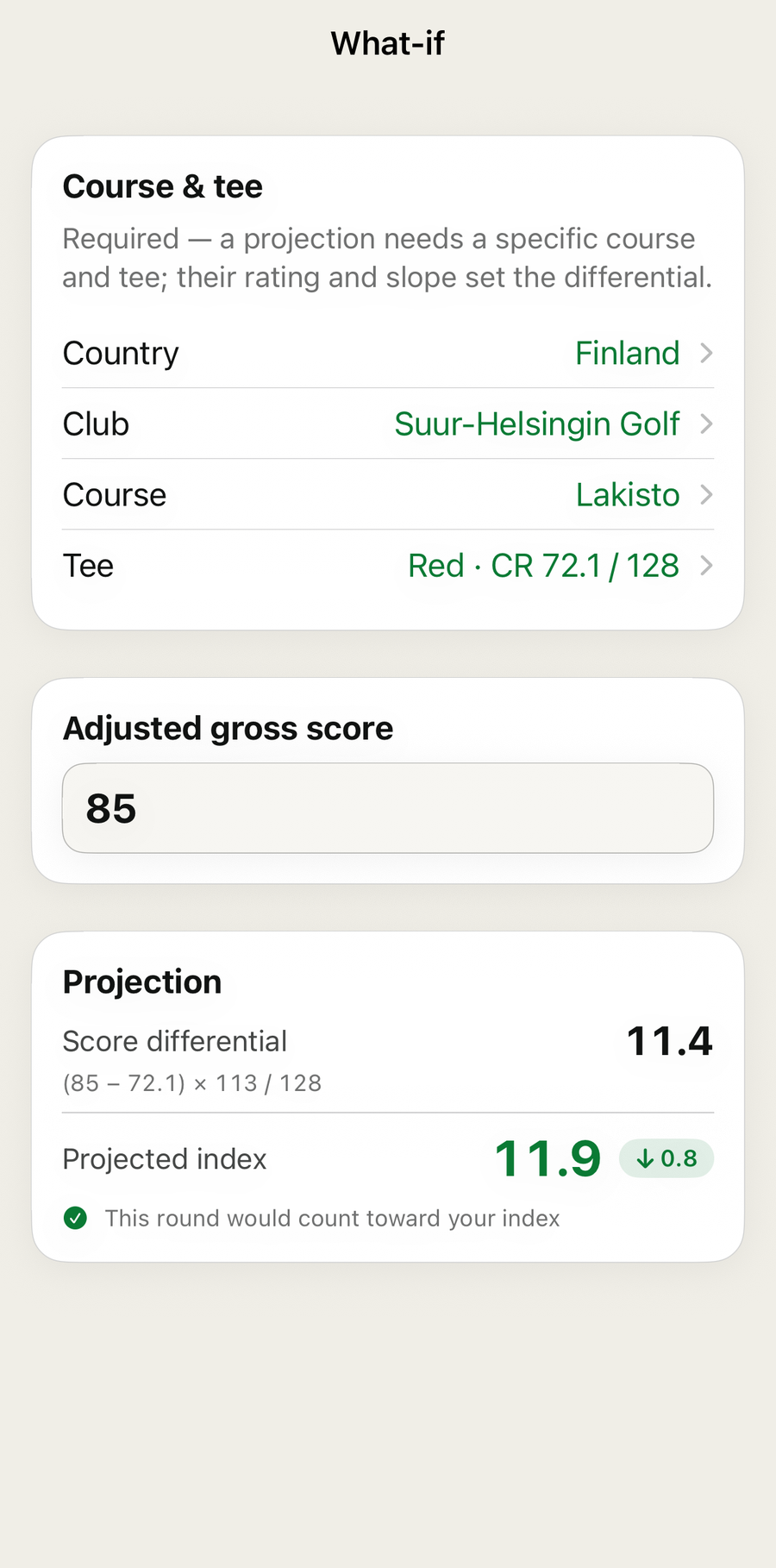
The Projection card then shows the score differential with its formula — (score − CR) × 113 / slope — the projected index with the change from today, and whether that round would count toward your index.
The calculator runs on your existing differentials; it needs at least three rounds to project anything.